Article
LangChain 开发
For LLM power - you only need LangChain.
LangChain 的主要功能
- Prompts 提示词工程
- Models 调用各类模型
- History 记忆工程
- Indexs 管理和分析各类文档
- Chains 构建功能的执行链条
- Agent 构建智能体
下列均采用——云模型调用
使用 langchain 调用大语言模型
首先使用 pip 安装 langchain 库
pip install langchain langchain-community langchain-ollama dashscope chromadb
调用通义千问的模型:
from langchain_community.llms.tongyi import Tongyi
然后,可以在 python 中使用 invoke 和 stream 两种方式来进行一次返回和流式输出:
# 批量一次返回
model = Tongyi(model="qwen-max")
res = model.invoke(input="感冒的成因有哪些?简要说明。")
print(res)
# 逐段流式输出
model = Tongyi(model="qwen-max")
res = model.stream(input="感冒的成因有哪些?简要说明。")
for chunk in res:
    print(chunk, end="", flush=True)
使用 langchain 调用聊天模型
AI Message: OpenAI 库中助理的角色,指针对问题的回答。
HumanMessage: 人类消息就是用户消息,有人发出的信息发送给 LLMs 的提示信息,比如“实现一个快速排序方法啊”。
SystemMessage: 可以用于指定模型所处的环境和背景,如角色扮演等,可以给出具体的指示,比如“作为一个代码专家”或“返回一个JSON格式的回答”等。
from langchain_community.chat_models.tongyi import ChatTongyi
from langchain_core.messages import HumanMessage, AIMessage, SystemMessage

model = ChatTongyi(model="qwen3-max")

# 准备消息列表
messages = [
    SystemMessage(content="你是一个三甲医院院士!"),
    HumanMessage(content="帮我查一下宁波市的三甲医院有哪些?"),
    AIMessage(content="有医院1,在地址1"),
    HumanMessage(content="根据你上面说的医院,介绍不同医院的区别")
]

res = model.stream(input=messages)

# 需要用 content 来打印结果
for chunk in res:
    print(chunk.content, end="", flush=True)
准备消息列表也可以简写成这个形式:
messages = [
    ("system", "你是一个三甲医院院士!"),
    ("human", "帮我查一下宁波市的三甲医院有哪些?"),
    ("ai", "有医院1,在地址1"),
    ("human", "根据你上面说的医院,介绍不同医院的区别")
]
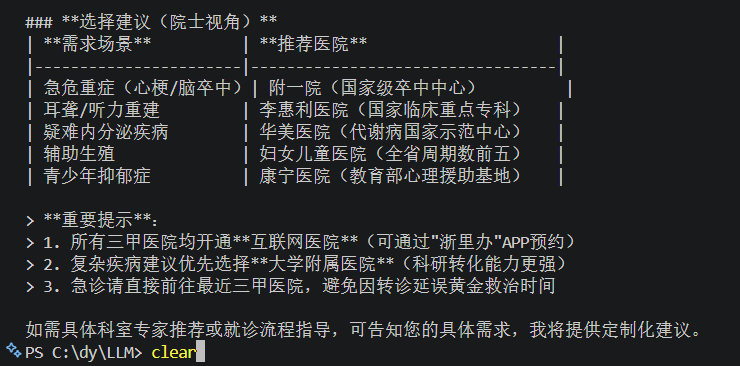
运行结果:
前者是静态的,一步到位,直接就得到了 Message 类对象
后者是动态的,可以在运行时,由 langchain 内部机制转换为 Message 类对象
也就是支持变量的注入:
messages = [
    ("system", "今天的天气是{weather}"),
    ("human", "我叫{name}"),
    ("ai", "欢迎{lastname}先生"),
]
使用 langchain 调用文本嵌入模型
进行向量转换:文本 ——> 浮点数
from langchain_community.embeddings import DashScopeEmbeddings

# 初始化嵌入模型,默认使用模型是:text-embedding-v1
embed = DashScopeEmbeddings()

# 测试
print(embed.embed_query("我喜欢你")) # 单次转换
print(embed.embed_documents(["我喜欢你", "我稀饭你", "晚上吃啥"])) # 多次转换
运行代码的输出结果就是把文本数据转换成的浮点数编码:
运行结果:

langchain 通用提示词模板
from langchain_core.prompts import PromptTemplate
from langchain_community.llms.tongyi import Tongyi

# 提示词模板
prompt_template = PromptTemplate.from_template(
    "我的邻居姓{lastname}, 刚生了{gender}, 帮忙起个名字, 请简略回答。"
)

# 变量注入,生成提示词文本
prompt_text = prompt_template.format(lastname="张", gender="女儿")

models = Tongyi(model="qwen-max")
res = models.invoke(input=prompt_text)
print(res)
我们还可以用这种方式来将提示词模板加入到链中:
from langchain_core.prompts import PromptTemplate
from langchain_community.llms.tongyi import Tongyi

# 提示词模板
prompt_template = PromptTemplate.from_template(
    "我的邻居姓{lastname}, 刚生了{gender}, 帮忙起个名字, 请简略回答。"
)
model = Tongyi(model="qwen-max")

# 组成链条
chain = prompt_template | model
res = chain.invoke(input={"lastname": "张", "gender": "女儿"})
print(res)
运行结果:

基于 PromptTemplate 类可以得到提示词模板,支持基于模板注入变量得到最终提示词
zero-shot 思想下,可以基于 PromptTemplate 直接完成
few-show 思想下,需要更换为 FewShotPromptTemplate
使用 FewShotPromptTemplate (Few-Shot 思想)
简单来说,few-shot 和 zero-shot 的区别在于:
few-shot 需要提供例子,而 zero-shot 不需要提供,所以 few-shot 常用语较为复杂的任务
from langchain_core.prompts import FewShotPromptTemplate, PromptTemplate

example_template = PromptTemplate.from_template("单词:{word}, 反义词:{antonym}")

example_data = [
    {"word": "大", "antonym": "小"},
    {"word": "上", "antonym": "下"}
]

few_shot_prompt = FewShotPromptTemplate(
    example_prompt=example_template, # 示例数据的模板
    examples=example_data, # 示例的数据
    prefix="给出给定词的反义词,有如下示范例:", # 示例之前的提示词
    suffix="基于示例告诉我:{input_word}的反义词是?", # 示例之后的提示词
    input_variables=['input_word'] # 声明在前缀或后缀中所需要注入的变量名
)

prompt_text = few_shot_prompt.invoke(input={"input_word": "左"}).to_string()
print(prompt_text)
invoke 和 format 方法
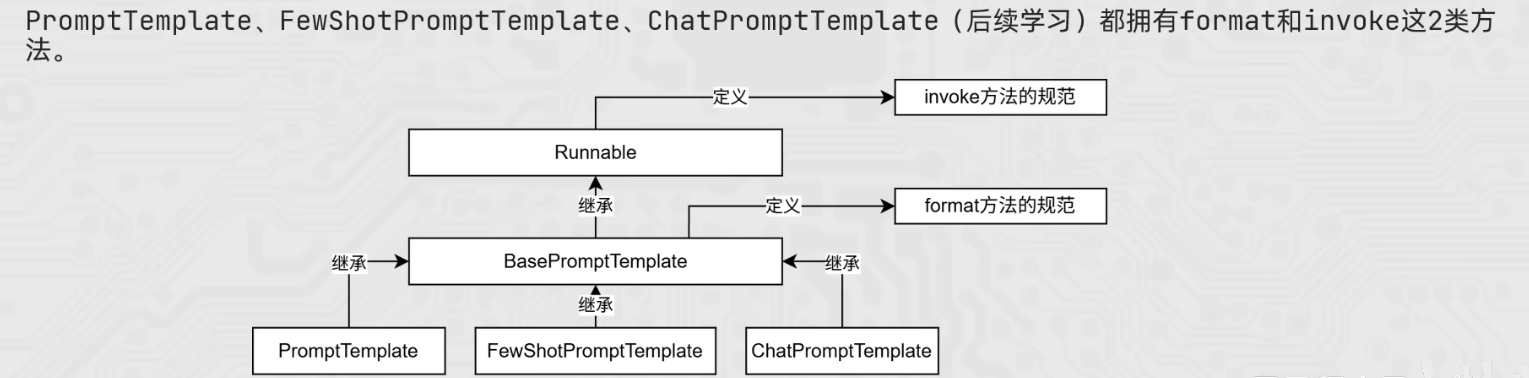
PromptTemplate、FewShotPromptTemplate 和 ChatPromptTemplate 均有 invoke 和 format
ChatPromptTemplate 的特点是:可以注入任意数量的历史会话信息
通过 from_messages 方法,从列表中获取多轮次会话信息作为聊天的基础模板
而由于历史对话信息不是静态的,而是随着对话的进行不停地积攒,即动态的
所以,我们也需要支持历史会话信息的动态注入
MessagesPlaceholder 可以作为占位,提供 history 作为占位的 key
并基于 invoke 动态注入历史会话记录,而 format 不行
from langchain_core.prompts import ChatPromptTemplate
from langchain_core.prompts import MessagesPlaceholder
from langchain_community.chat_models.tongyi import ChatTongyi

chat_template = ChatPromptTemplate.from_messages(
    [
        ("system", "你是一位唐朝边塞诗人"),
        MessagesPlaceholder("history"),
        ("human", "请帮我做一首先边塞诗")
    ]
)

history_data = [
    ("human", "能不能做一首边塞诗?"),
    ("ai", "床前明月光,疑是地上霜"),
    ("human", "还有别的诗吗?"),
    ("ai", "举头望明月,低头思故乡")
]

prompt_value = chat_template.invoke({"history": history_data}).to_string()
print(prompt_value)

model = ChatTongyi(model="qwen3-max")

res = model.invoke(prompt_value)
print(res.content, type(res))
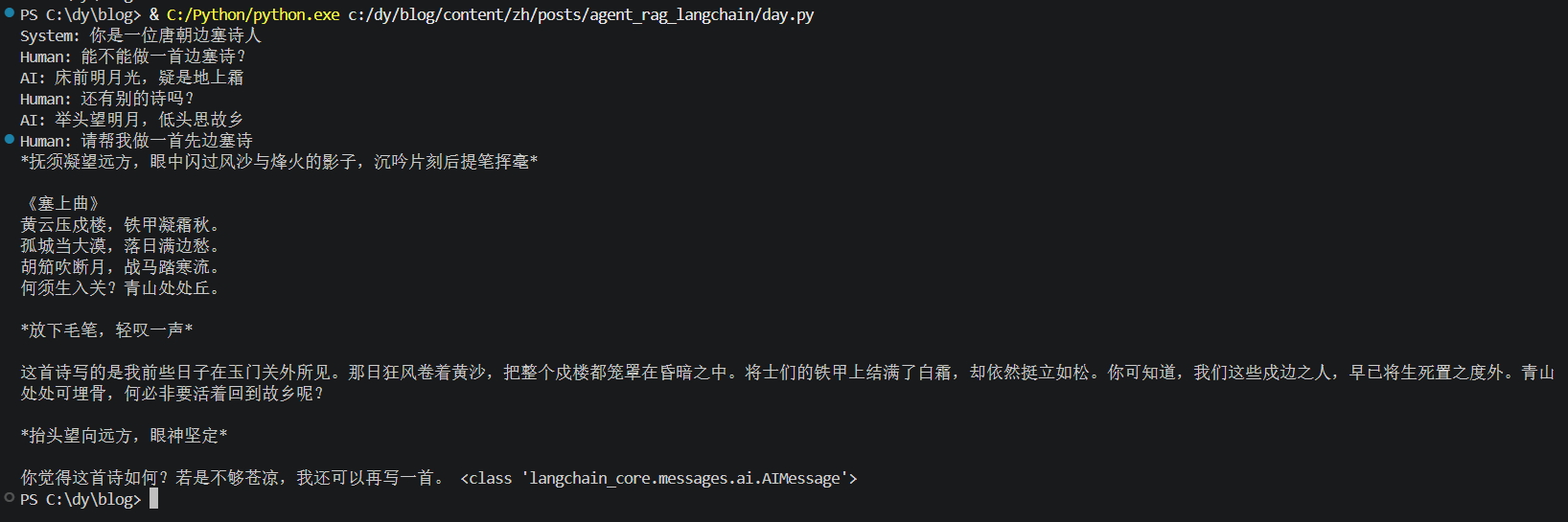
运行结果: